> ## Documentation Index
> Fetch the complete documentation index at: https://docs.visual-layer.com/llms.txt
> Use this file to discover all available pages before exploring further.
# Search and Filter
> Search datasets by name and apply filters to narrow your dataset view.
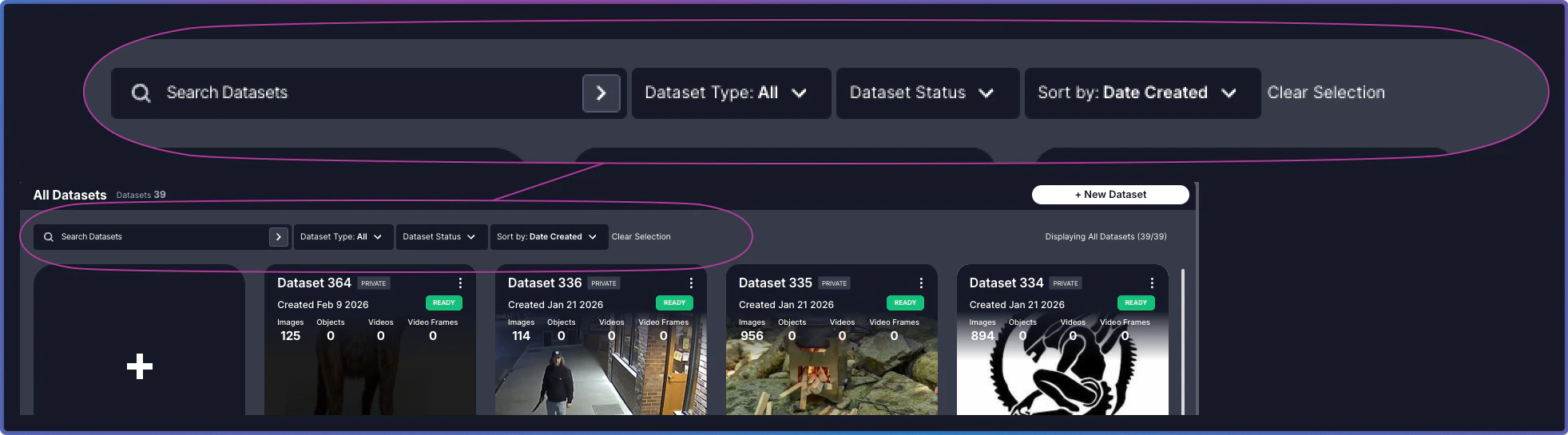
The **Main Panel** at the top of the page provides tools to quickly locate and organize your datasets.
 ## Controls
Search and filters work together to help you locate datasets. Combine them to narrow results, or clear them to expand your view.
## Controls
Search and filters work together to help you locate datasets. Combine them to narrow results, or clear them to expand your view.
| Control | Purpose | Usage |
| ------------------- | -------------------------------------------------------------- | -------------------------------------------------------------------------------------------------------------------------------------------------- |
| **Search** | Find datasets by name | Type a full or partial dataset name. Search is case-insensitive. For example, "product" matches "Product Images 2024" and "production-test-batch". |
| **Filter** | Filter datasets by Dataset Status or Dataset Type | Select **Dataset Status** to filter by processing state, or **Dataset Type** to filter by Private or Public. |
| **Sort By** | Arrange datasets by creation date, status, or name | Choose sorting criteria and order (ascending/descending). |
| **Clear Selection** | Reset all applied controls and return to the full dataset view | Click to remove all active search terms and filters. |
Combine search and filters for precise dataset discovery. For example, search for "batch" and filter by status "Ready" to find all completed batch datasets.
## Related Resources
Overview of the Dataset Inventory interface
Explore dataset cards, status indicators, and actions