
Setting Up
You can follow along this tutorial by running this notebook on Google Colab. First, install fastdup with:bash
Python
0.906.
Download Dataset
We will be analyzing the Imagenette dataset - A 10-class ImageNet subset from fast.ai. Imagenette consists of 10 classes from the original ImageNet dataset. It contains 13k images in total. Download and extract dataset:shell
📘 Naming
noisy_imagenette.csv- A.csvfiles with labels.train/- Train images.val/- validation images.
Load & Format Annotations
We’ll usepandas to load and format the annotations.
| path | noisy_labels_0 | noisy_labels_1 | noisy_labels_5 | noisy_labels_25 | noisy_labels_50 | is_valid | |
|---|---|---|---|---|---|---|---|
| 0 | train/n02979186/n02979186_9036.JPEG | n02979186 | n02979186 | n02979186 | n02979186 | n02979186 | False |
| 1 | train/n02979186/n02979186_11957.JPEG | n02979186 | n02979186 | n02979186 | n02979186 | n03000684 | False |
| 2 | train/n02979186/n02979186_9715.JPEG | n02979186 | n02979186 | n02979186 | n03417042 | n03000684 | False |
| img_filename | label | split | |
|---|---|---|---|
| 0 | train/n02979186/n02979186_9036.JPEG | cassette_player | train |
| 1 | train/n02979186/n02979186_11957.JPEG | cassette_player | train |
| 2 | train/n02979186/n02979186_9715.JPEG | cassette_player | train |
| 3 | train/n02979186/n02979186_21736.JPEG | cassette_player | train |
| 4 | train/n02979186/ILSVRC2012_val_00046953.JPEG | cassette_player | train |
Run fastdup
With the annotations and folders in the right format, let’s run fastdup and analyze the dataset.📘 InfoGet a summary of the run.
ccthreshold- Threshold to use for the graph connected component. Default is 0.96.threshold- Threshold to use for the graph generation. Default is 0.9.
🚧 830 possible outliers From the summary there are 830 possible outliers found. Let’s inspect them further!
Outliers
Let’s visualize the outliers in the dataset.📘 Label information Note the label information in the outliers report.

👍 Anomalies? Can you spot any anomalies from the report? Hint -To get more details on the outliers, run:parachuteandgolf ball.
| index | outlier | nearest | distance | img_filename_outlier | label_outlier | split_outlier | error_code_outlier | is_valid_outlier | img_filename_nearest | label_nearest | split_nearest | error_code_nearest | is_valid_nearest | |
|---|---|---|---|---|---|---|---|---|---|---|---|---|---|---|
| 0 | 1338 | 12009 | 1757 | 0.469904 | val/n03417042/n03417042_29412.JPEG | garbage_truck | val | VALID | True | train/n02102040/n02102040_7256.JPEG | English_springer | train | VALID | True |
| 1 | 1336 | 2664 | 9763 | 0.476124 | train/n02979186/n02979186_3967.JPEG | cassette_player | train | VALID | True | val/n01440764/n01440764_710.JPEG | tench | val | VALID | True |
| 2 | 1335 | 2727 | 1571 | 0.476313 | train/n02979186/n02979186_5424.JPEG | cassette_player | train | VALID | True | train/n02102040/n02102040_536.JPEG | English_springer | train | VALID | True |
| 3 | 1333 | 12172 | 1817 | 0.479290 | val/n03417042/n03417042_91.JPEG | garbage_truck | val | VALID | True | train/n02102040/n02102040_7868.JPEG | English_springer | train | VALID | True |
| 4 | 1332 | 1981 | 10098 | 0.479516 | train/n02979186/n02979186_10387.JPEG | cassette_player | train | VALID | True | val/n02102040/n02102040_5272.JPEG | English_springer | val | VALID | True |
Similarity Gallery
Other than the outliers, we can find possible mislabels by comparing a query image to other images in the dataset. This can be done with: To get a detailed information
| from | to | distance | img_filename_from | label_from | split_from | error_code_from | is_valid_from | img_filename_to | label_to | split_to | error_code_to | is_valid_to | |
|---|---|---|---|---|---|---|---|---|---|---|---|---|---|
| 0 | 11521 | 5390 | 0.968786 | val/n03394916/n03394916_30631.JPEG | French_horn | val | VALID | True | train/n03394916/n03394916_44127.JPEG | French_horn | train | VALID | True |
| 1 | 5390 | 11521 | 0.968786 | train/n03394916/n03394916_44127.JPEG | French_horn | train | VALID | True | val/n03394916/n03394916_30631.JPEG | French_horn | val | VALID | True |
| 2 | 12914 | 7715 | 0.962458 | val/n03445777/n03445777_6882.JPEG | golf_ball | val | VALID | True | train/n03445777/n03445777_13918.JPEG | golf_ball | train | VALID | True |
| 3 | 7715 | 12914 | 0.962458 | train/n03445777/n03445777_13918.JPEG | golf_ball | train | VALID | True | val/n03445777/n03445777_6882.JPEG | golf_ball | val | VALID | True |
| 4 | 1117 | 1404 | 0.953837 | train/n02102040/n02102040_1564.JPEG | English_springer | train | VALID | True | train/n02102040/n02102040_3837.JPEG | English_springer | train | VALID | True |
Duplicates
Let’s also check for duplicate pairs.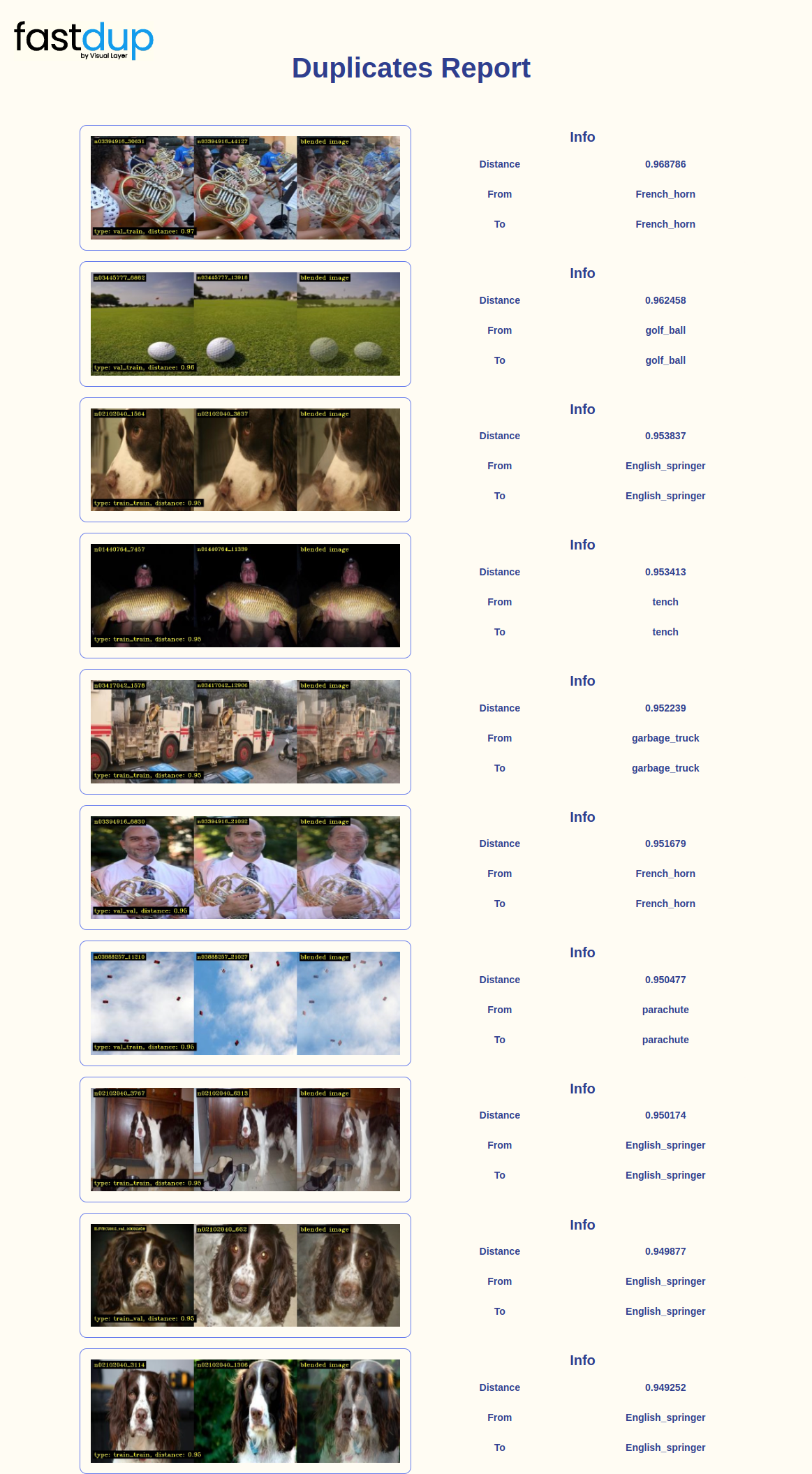
Image Clusters
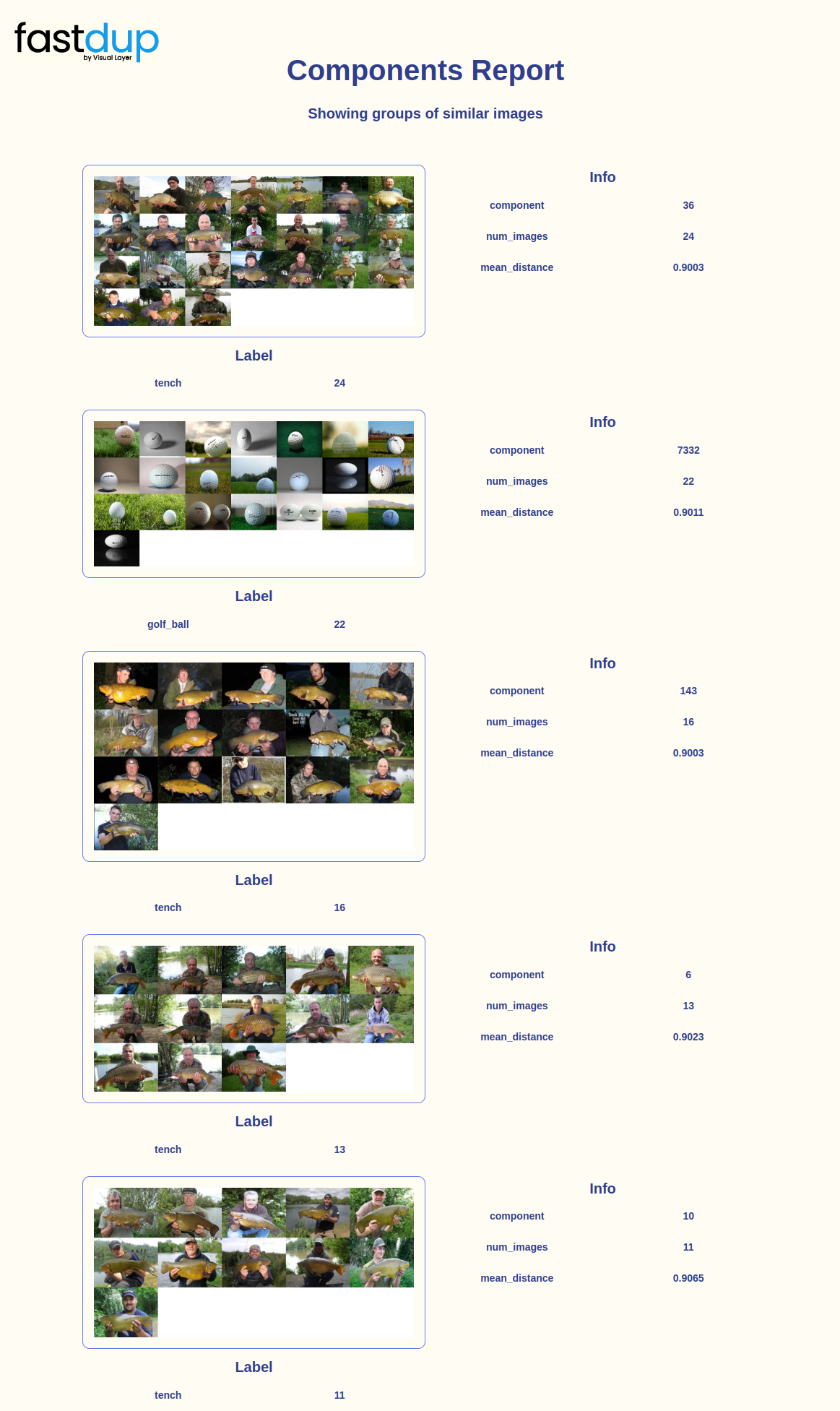 You can also visualize clusters with specific labels using the
 slice parameter. For example let’s visualize clusters with the chain_saw label.
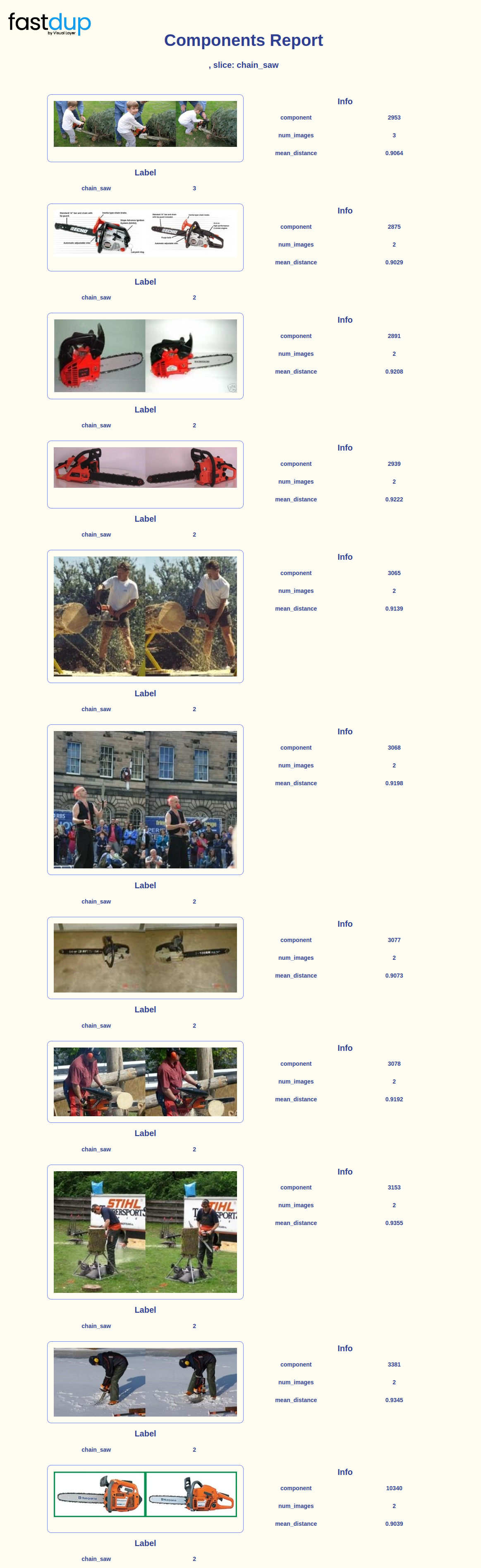
Summary
👍 We now added several important label-specific features to run on top of the raw dataset Building over the image dataset analysis conducted without labels in the Cleaning and preparing a dataset tutorial, we’ve seen how to further slice the data and visualize specific classes of interest.