
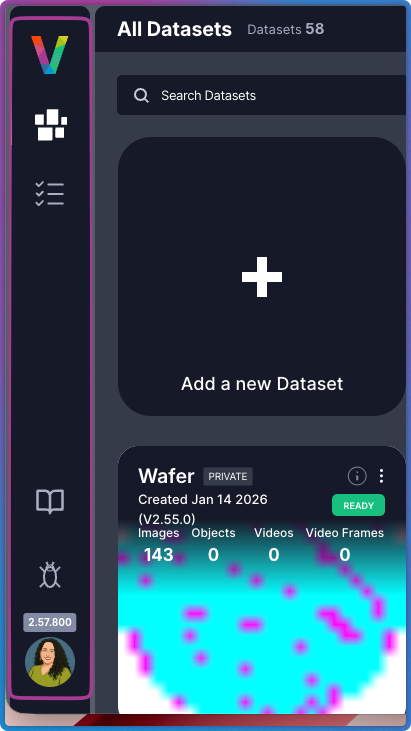
| Icon/Option | Name | Description |
|---|---|---|
 | My Datasets | Return to the Dataset Inventory home page (current view) |
 | Task Manager | Monitor and manage all active tasks, jobs, and processing workflows |
| Help Resources | Access user guides, API references, and tutorials | |
| Bug Report | Feedback | Report issues or provide feedback to the Visual Layer team |
 | Personal Info | Click your avatar to view image usage limits (trial accounts default to 10,000 images), subscription status, and active plan details. Also access the light/dark mode toggle and log out. |
Interface Areas
Visual Layer is built around two primary areas. To navigate between them:- Start at the Dataset Inventory (home page)
- Select a dataset to analyze
- Work in the Dataset Exploration View
- Return to the Dataset Inventory to switch datasets or create new ones
Dataset Inventory
The Dataset Inventory is your home page, displaying all datasets in a centralized view. It handles dataset creation, organization, and high-level management. You land here when you first log in and return to it when switching between datasets.Dataset Exploration View
The Dataset Exploration View is your primary workspace for analyzing individual datasets. It provides tools for exploring clusters, applying filters, running searches, and managing data quality. Open any dataset from the Dataset Inventory to enter this view.Next Steps
Dataset Inventory
Learn about the home page interface and dataset management
Dataset Exploration View
Interface reference for the dataset analysis workspace