
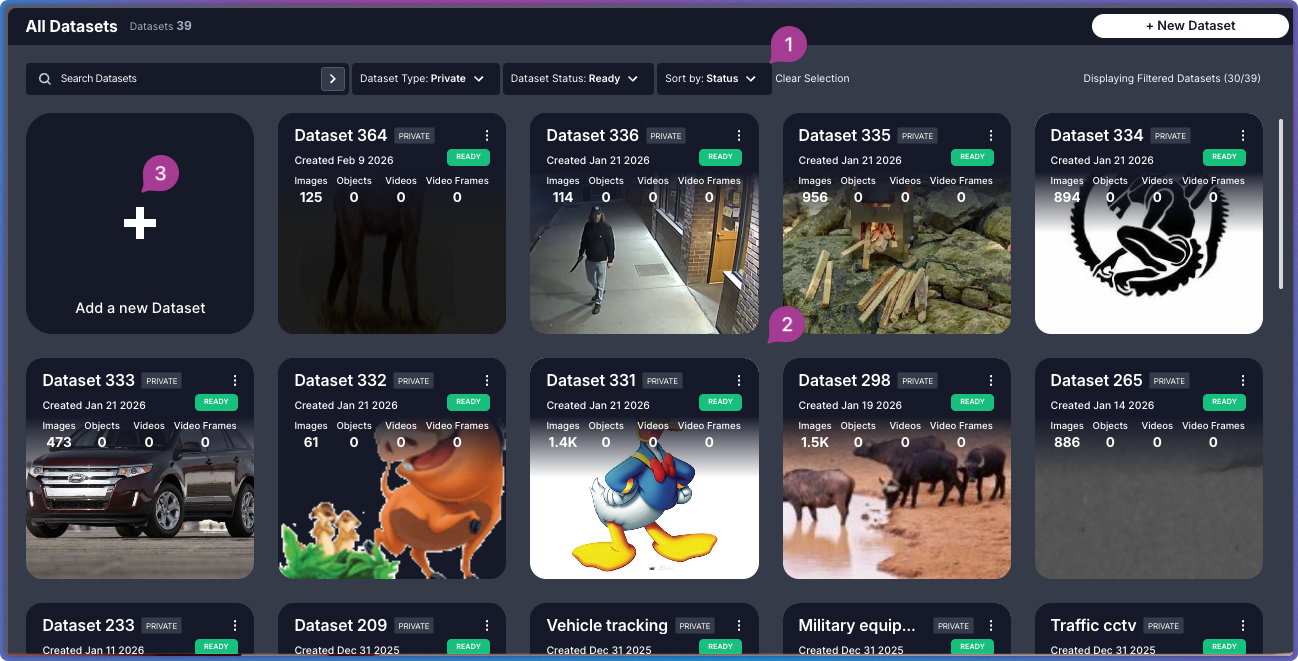
Interface Layout
The Dataset Inventory consists of three primary areas that work together to help you manage and access your datasets.| Area | Component | Description |
|---|---|---|
 | Main Panel | Search for datasets by name and apply filters |
 | Dataset Cards Grid | Visual display of all your datasets with key information and quick actions |
 | Create Dataset Button | Start creating a new dataset |
Related Resources
Upload Data
Step-by-step dataset creation guide
Dataset Exploration Interface
Navigate and analyze datasets
Key Concepts
Understand core Visual Layer terminology