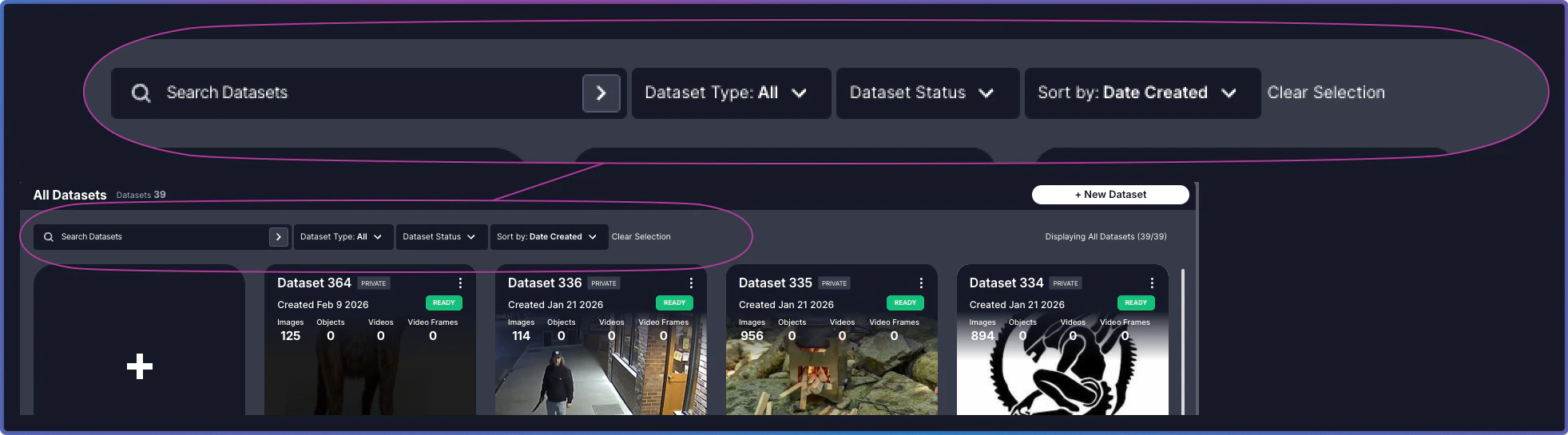
The Main Panel at the top of the page provides tools to quickly locate and organize your datasets. Search in Dataset Inventory

Controls

Search and filters work together to help you locate datasets. Combine them to narrow results, or clear them to expand your view.
ControlPurposeUsage
SearchFind datasets by nameType a full or partial dataset name. Search is case-insensitive. For example, “product” matches “Product Images 2024” and “production-test-batch”.
FilterFilter datasets by Dataset Status or Dataset TypeSelect Dataset Status to filter by processing state, or Dataset Type to filter by Private or Public.
Sort ByArrange datasets by creation date, status, or nameChoose sorting criteria and order (ascending/descending).
Clear SelectionReset all applied controls and return to the full dataset viewClick to remove all active search terms and filters.
Combine search and filters for precise dataset discovery. For example, search for “batch” and filter by status “Ready” to find all completed batch datasets.